
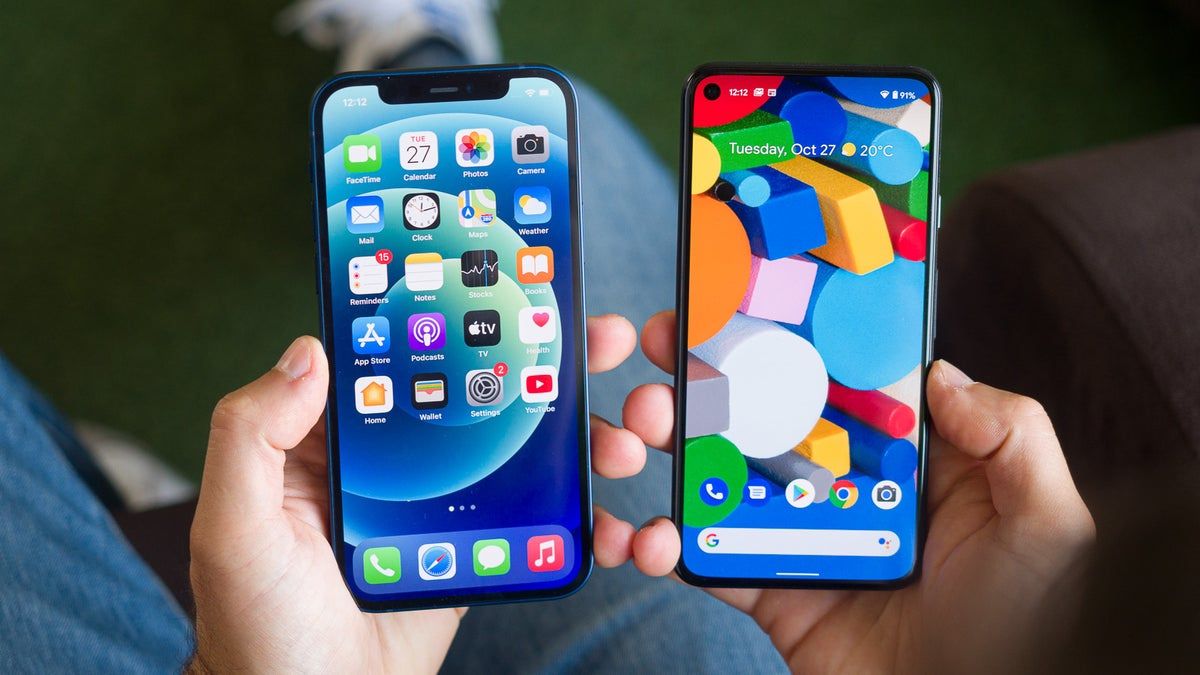
Changing your main phone feels terrifying. You spend years building custom habits. Running a lifestyle blog for the past twelve years means my phone is my entire office. Losing that fast muscle memory kept me awake at night. I worried the new system would slow me down with strange rules. But making the jump brings completely unexpected perks.
I finally switched from Android to iPhone three months ago. The transition taught me the truth about these phones, which tools actually fix your daily problems. See the real privacy controls that protect your personal data. The Apple vs Android 2026 debate usually misses the real point. People want their devices to work smoothly together without causing headaches. These 11 things skip the marketing hype completely.
#1. Seamless Ecosystem “Handoff” is Actually Magic
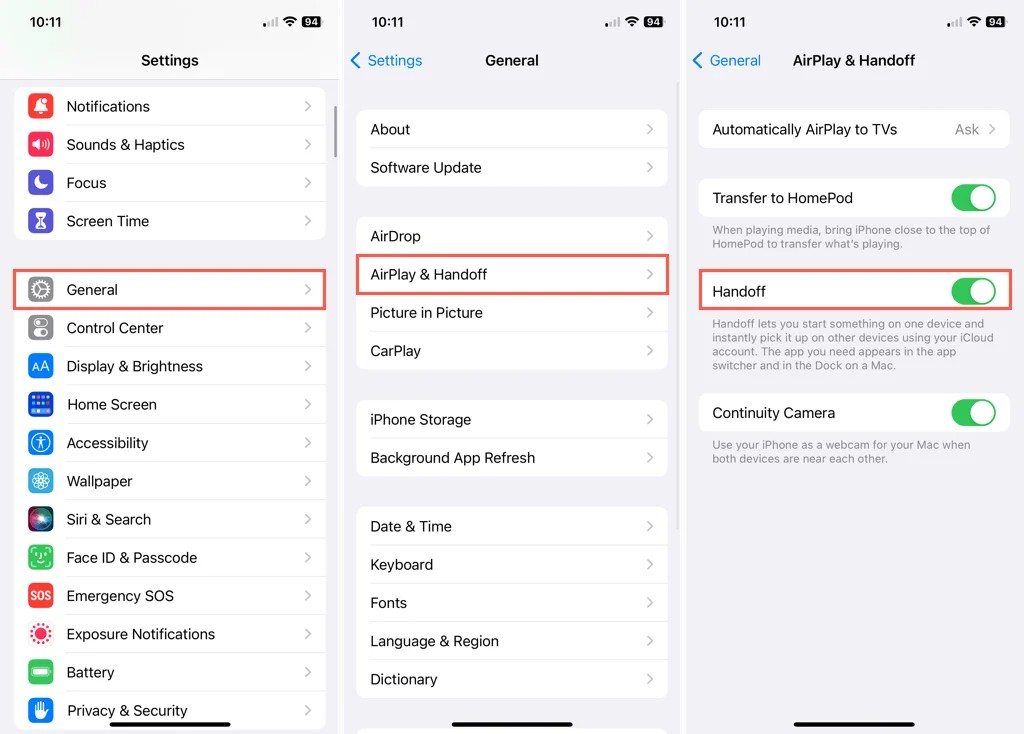
Apple Continuity changes how you work. You copy a Pinterest link on your phone. You paste it instantly on your Mac. It feels like absolute magic. AirDrop makes moving photos incredibly fast. Android has sharing tools. But they always feel clunky and slow. I move massive video files every single day. AirDrop never fails or stalls. Phone calls and messages also route directly to your iPad or Mac.
You can answer a call on your tablet while your phone charges in another room. The iOS ecosystem works perfectly because Apple controls all the hardware. Apple currently holds 58 percent of the US market share. It commands 27 percent globally.
#2. Advanced Privacy Switches That Lockdown Tracking
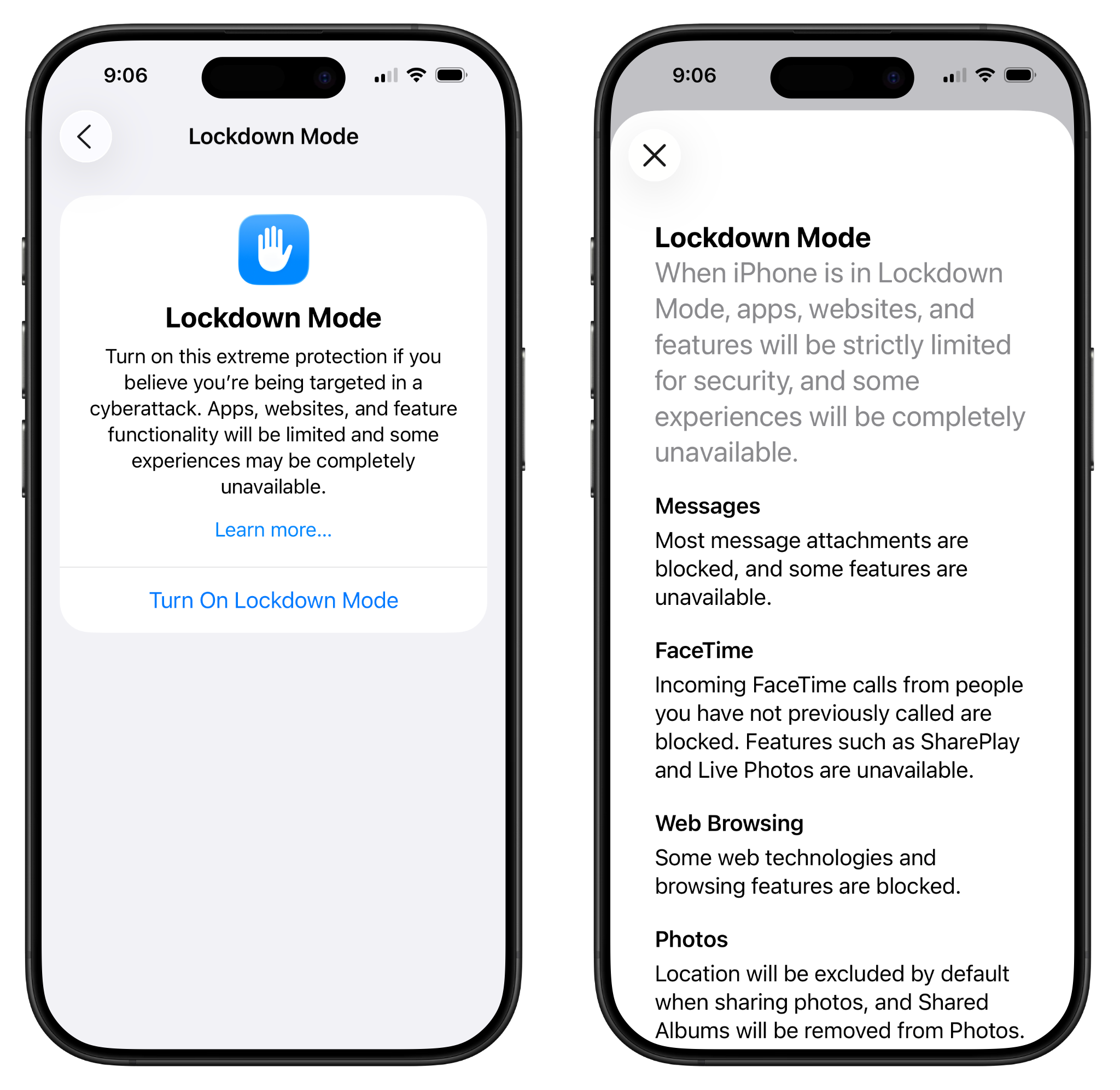
Android hides privacy controls in confusing menus. Apple puts them front and center. You get a prompt asking if an app can track your activity. You click “Ask App Not to Track” right on the screen. It universally blocks hidden cross-site trackers right out of the box. This is iPhone tracking prevention at its absolute best. You can also strip precise location data from your photos before sharing them. This is one of my favorite iOS hidden features.
Apple also gives you a detailed App Privacy Report. You can see exactly which apps peek at your data. You know exactly what information they take. These advanced privacy settings give you immediate and total peace of mind. Android often makes you guess what permissions you gave away. iOS shows you a simple dashboard. You have total control over your digital footprint from day one.
#3. Deep App Optimization for Content Creation
Creating content on Android often ruins your video quality. Social apps compress the files badly. Tech reviewers call this the camera gap. Apps like Instagram and TikTok are built directly for the Apple camera API. Your videos look crisp and professional directly inside the app. Editing heavy media files is also incredibly smooth. The 2026 iPhone 17 uses the powerful A19 chip. Tests show it averages over 130 frames per second.
The Pixel 10 only hits about 80 frames per second. You drop significantly fewer frames when rendering heavy content. This makes iPhone content creation fast and incredibly reliable. Your phone never freezes when you add text or filters to a video. You can create better content in half the time.
#4. Apple Intelligence and Voicemail Summaries
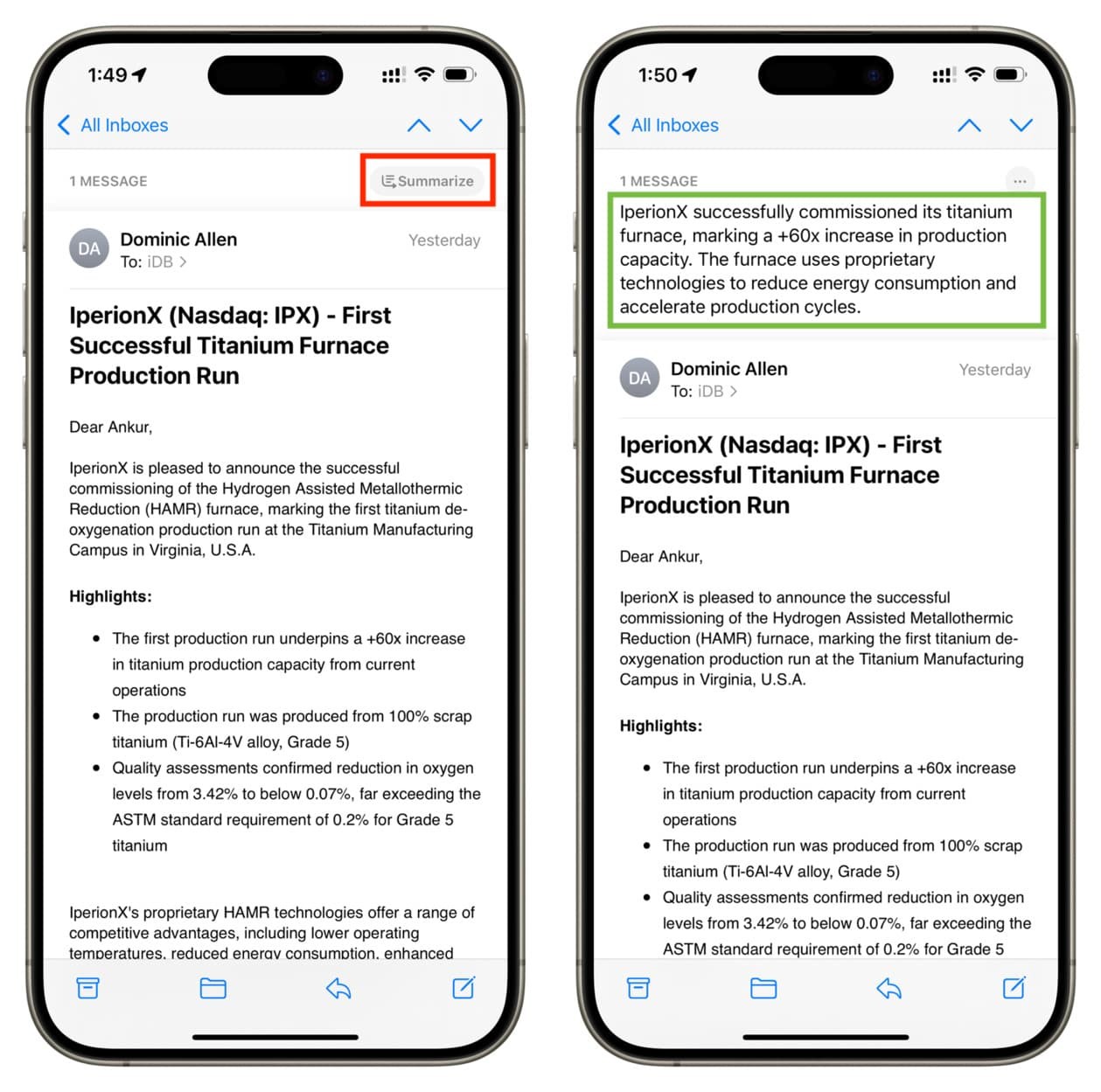
Daily spam calls completely waste your time. Live Voicemail fixes this nuisance forever. It transcribes calls in real time directly on your lock screen. You know exactly who is calling without picking up the phone. This iOS voicemail transcription happens entirely on your actual device. Apple Intelligence 2026 processes everything locally to protect your data.
Siri handles your requests faster because it does not send data to the cloud. You also get the new Clean Up tool in Photos. You can remove messy backgrounds from your pictures with a single tap. I use this constantly to clean up living room shots before posting them online. Your data stays completely secure while the artificial intelligence does all the heavy lifting.
#5. Universal Clipboard Changes How You Work
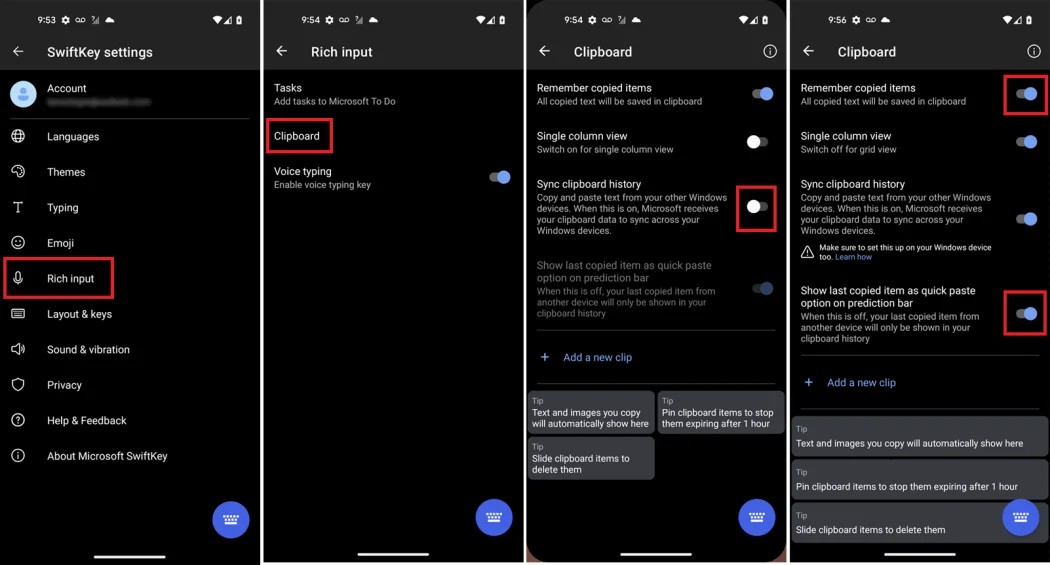
You probably email links to yourself. You might use cloud apps to move text between devices. You can stop doing that immediately. The Universal clipboard makes everything easier. You copy text on your phone. You hit paste on your computer. It appears instantly. I use this Apple productivity workflow every single day. Let me give you a real-world example.
A website asks for a two-factor authentication code. The code pops up in a text message. You copy it to your phone. You paste it right into your desktop browser instantly. It saves you so much time. You stop switching between apps and screens just to move one simple sentence.
#6. Face ID and Passkey Integration is Flawless
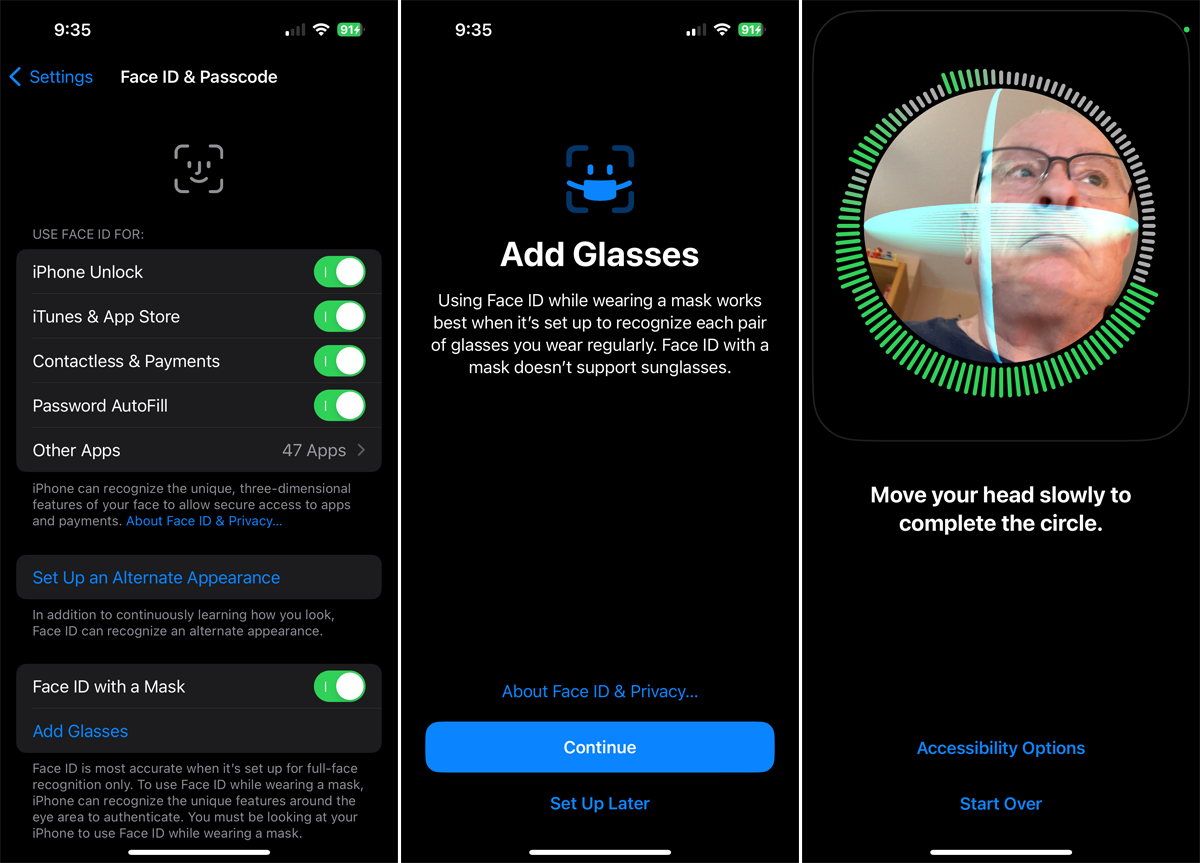
Android phones often use fingerprint scanners under the screen. They miss your print if your hands are slightly wet. Face ID works flawlessly every single time. The TrueDepth camera system reads your face perfectly in pitch-black rooms. Android camera-based systems fail in the dark. Face ID security connects with your banking apps. You just look at your screen to log in safely.
Apple leads this shift with iOS Passkey integration. Your face becomes the only key you ever need. It makes logging into websites incredibly fast. You never have to remember a complex string of letters and numbers again. Your security gets stronger while becoming completely effortless.
#7. Battery Efficiency on Cellular Data
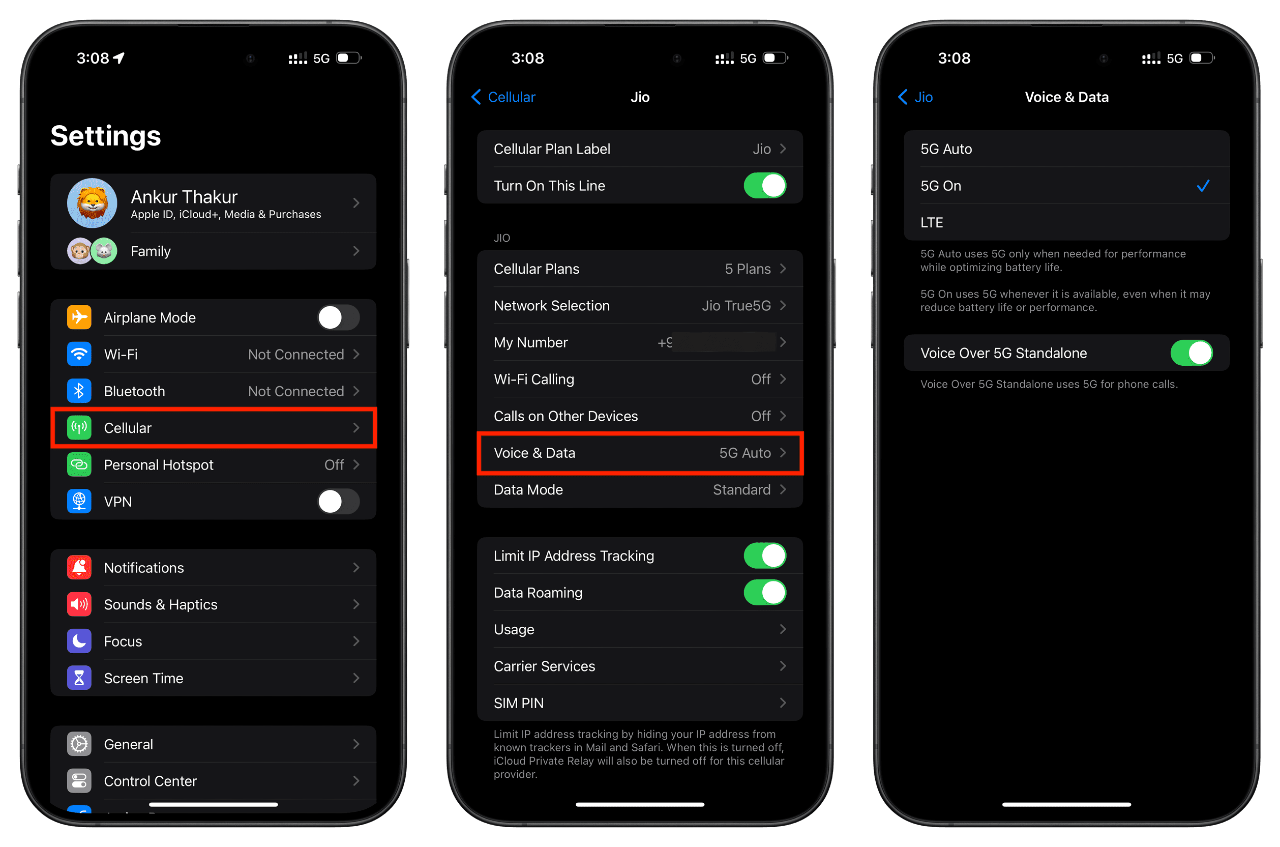
Android phones pack massive batteries. But Apple handles power much better. I tested battery drains extensively late last year for a 30-day experiment. iPhone battery optimization is genuinely superior. Your phone barely loses power when it sits idle. You get incredible iOS standby time. Switching between cell towers usually kills your battery quickly.
Real user reports from 2026 show something different. The iPhone Pro maintains its charge on 5G data much better. Equivalent Android flagships die faster under the exact same conditions. Apple limits background activity brilliantly. Your phone lasts all day without you worrying about finding a charger.
#8. The Journal App and Health Sync
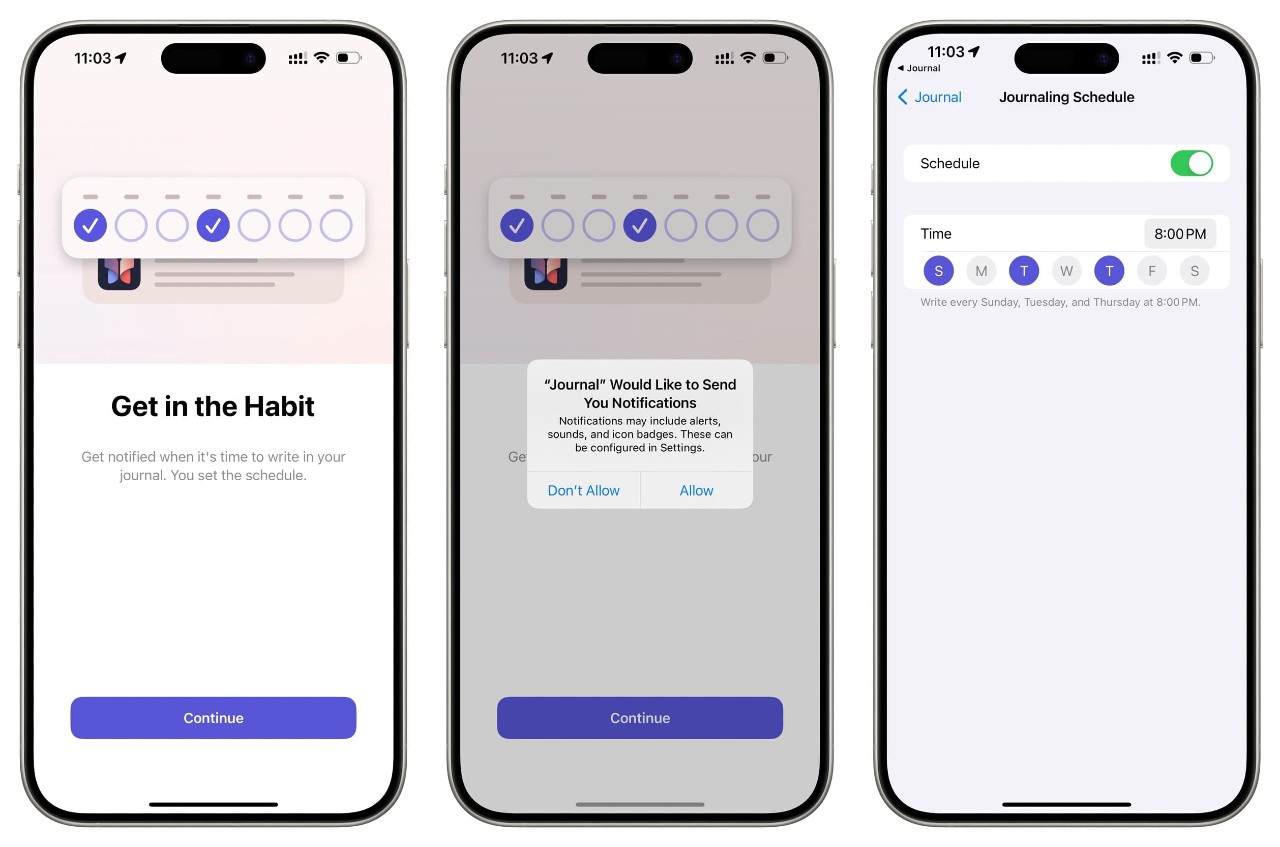
Keeping a daily diary takes serious effort. The native Apple Journal app does the hard work for you. It pulls data directly from your daily routines. It uses your photo memories and location history to suggest things to write about. It also features deep iOS Health integration. Android has no native tool that connects your life like this.
The app uses end-to-end encryption. No one else can read your personal entries. You can log personal reflections without worrying about third-party data harvesting. It is a completely private space just for you. You actually build a journaling habit because the phone prompts you with specific memories.
#9. RCS Arrived, but iMessage Still Wins
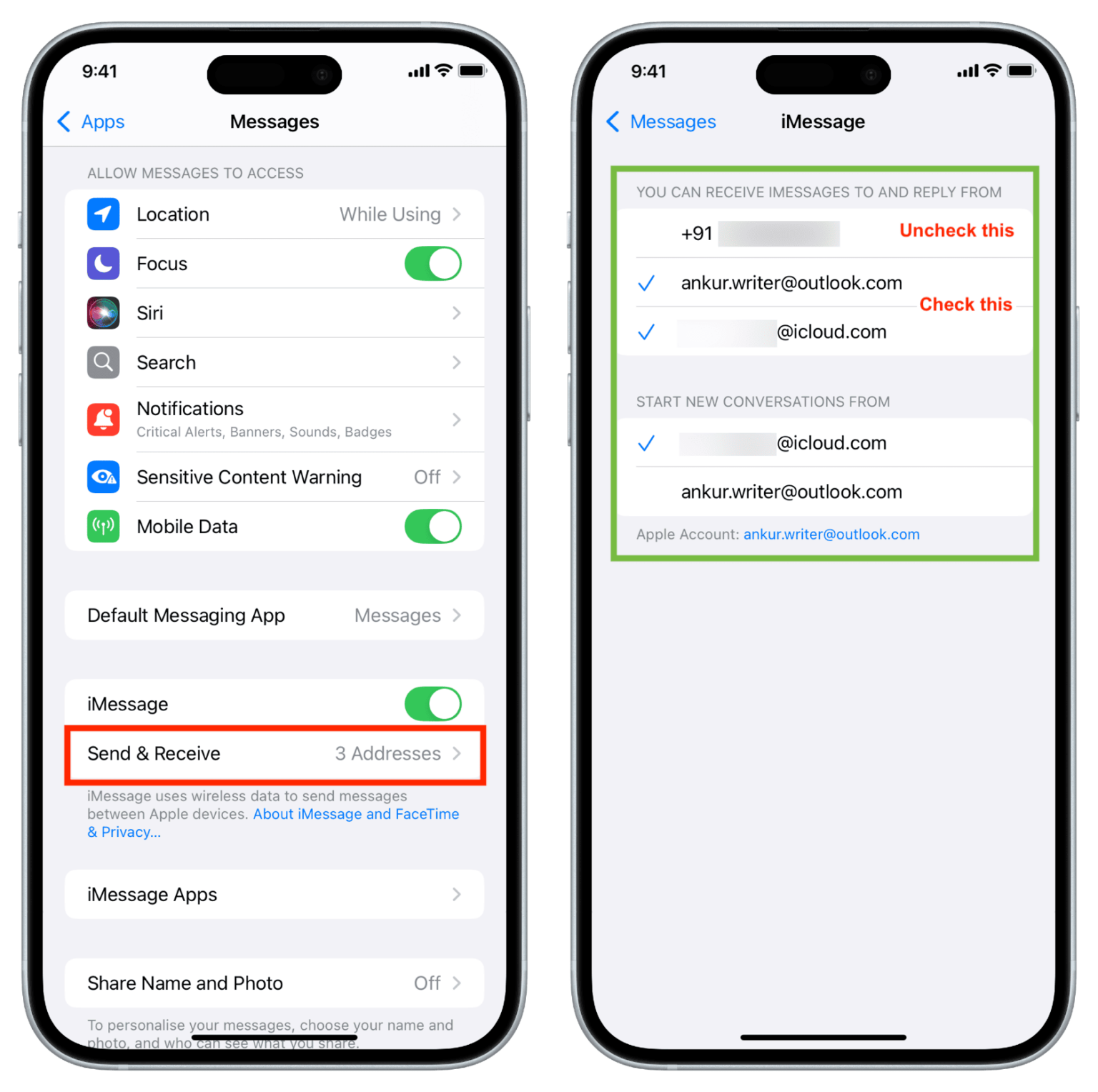
Group chats between different phone brands used to be a complete mess. Apple finally adopted RCS messaging. This fixed the blurry video problem between phones. You finally get decent media sharing with RCS on iPhone. The iMessage vs Android debate ends when you look at the exclusive features. You get simple inline replies.
You can unsend mistakes instantly. Sending high-res media works perfectly over a WiFi connection. Make sure you turn off RCS on your old Android phone using the Google web portal. This prevents lost text messages during your switch. iMessage just works better for group conversations. The reliability keeps your family and friends connected without annoying text delivery failures.
#10. Home Screen Customization
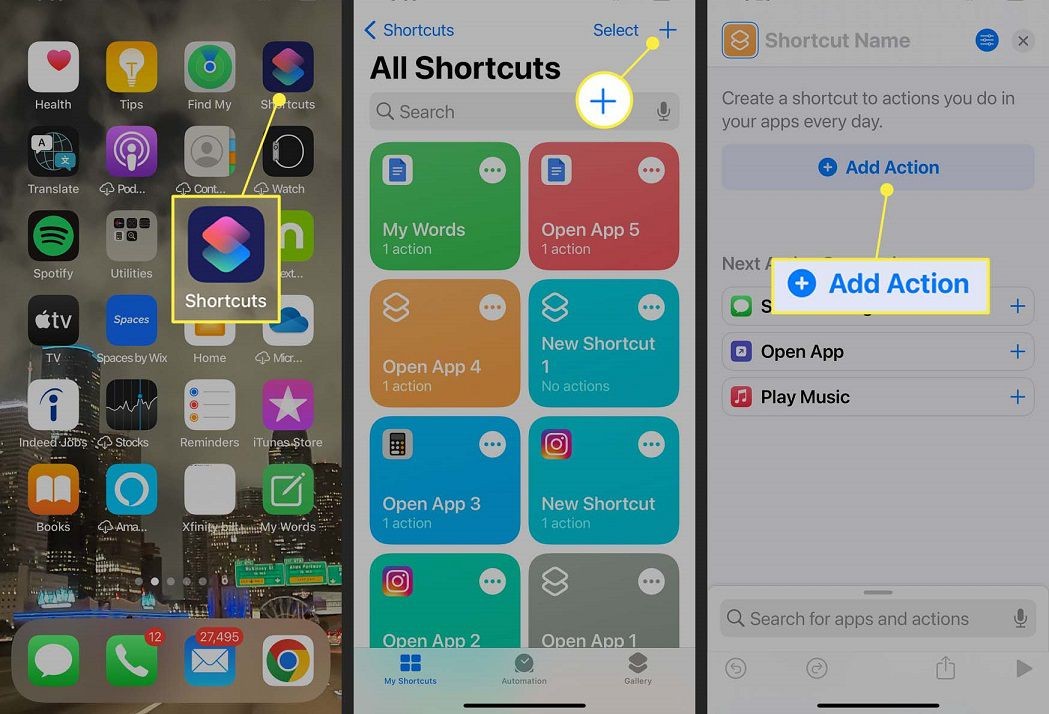
Apple users used to suffer from a rigid app grid. That frustration is finally over. Recent updates bring massive iOS home screen customization. You can place icons anywhere you want on the screen. You can tint your apps to match your wallpaper. The new iPhone widgets make your lock screen truly useful. The App Library hides all the junk apps you rarely open.
The Move to iOS app sets up your new phone automatically. But you can also change your entire Control Center layout immediately after porting your data. Your phone finally looks as you want it to look. Android users loved having complete visual control. iPhone finally gives you that same freedom without making the menus complicated.
#11. The iPhone as a Universal Remote Control
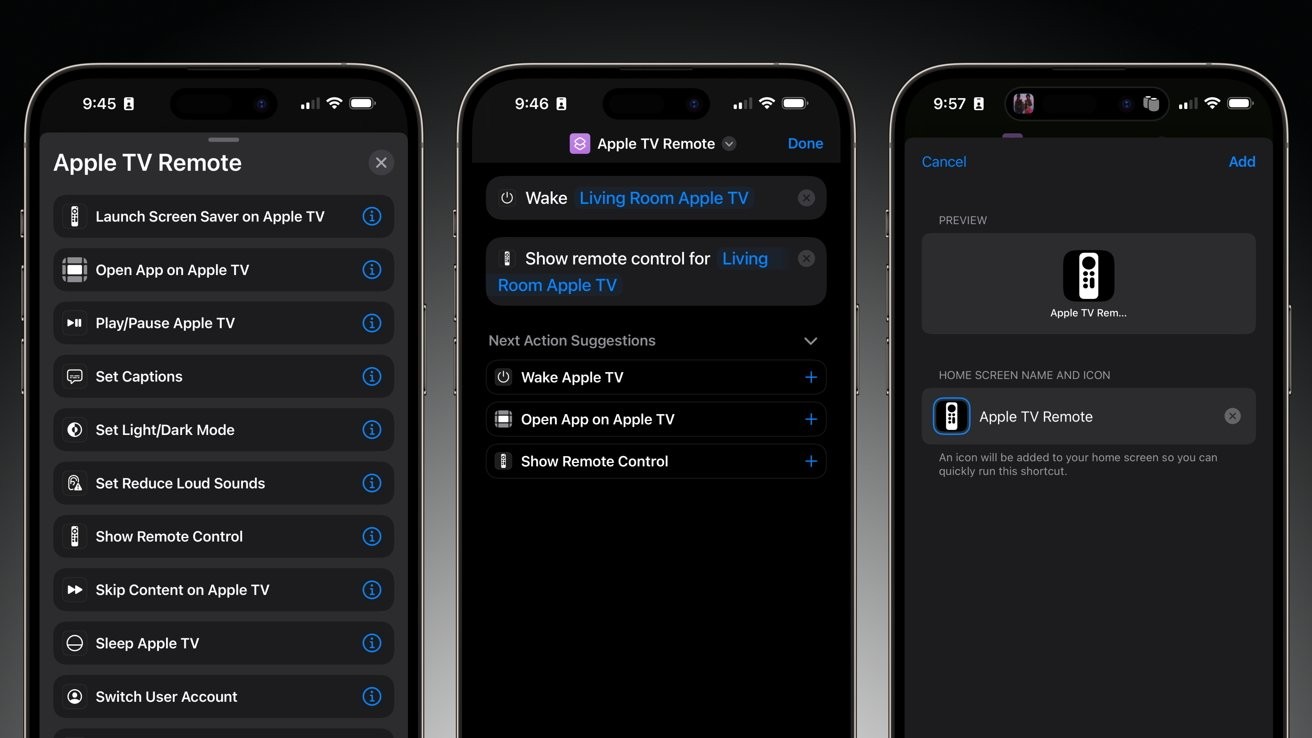
Losing your television remote is incredibly frustrating. You will never lose it again. The Apple TV remote iPhone feature lives right in your Control Center. You can type movie titles using your phone keyboard. It saves you from clicking letters on your television screen. The iOS smart home integration connects instantly to your speakers and lights.
The Home app organizes everything perfectly in one place. Casting video from your phone to a screen is incredibly stable. You can send a 4K video with zero lag. Your phone becomes the control center for your entire house. You control your environment without leaving your couch.
