

Paying $0.99 per month for just 50GB of iCloud storage might not sound like much, but it adds up fast. iPhones constantly show “iCloud Storage Full” notifications. Paying Apple every month just to back up photos becomes exhausting.
The free 5GB fills up within weeks. Feeling trapped because all Apple devices need iCloud is frustrating. Every notification feels like Apple holding memories hostage until an upgrade happens.iCloud storage alternatives exist that cost way less and work seamlessly with iPhone.
The best options offer superior cloud storage cost comparison value while maintaining full compatibility. Some eliminate monthly payments entirely through lifetime plans. Learn how to switch without losing a single photo and save money on cloud storage over $500 in five years.
1. How Much You’re Really Paying for iCloud?
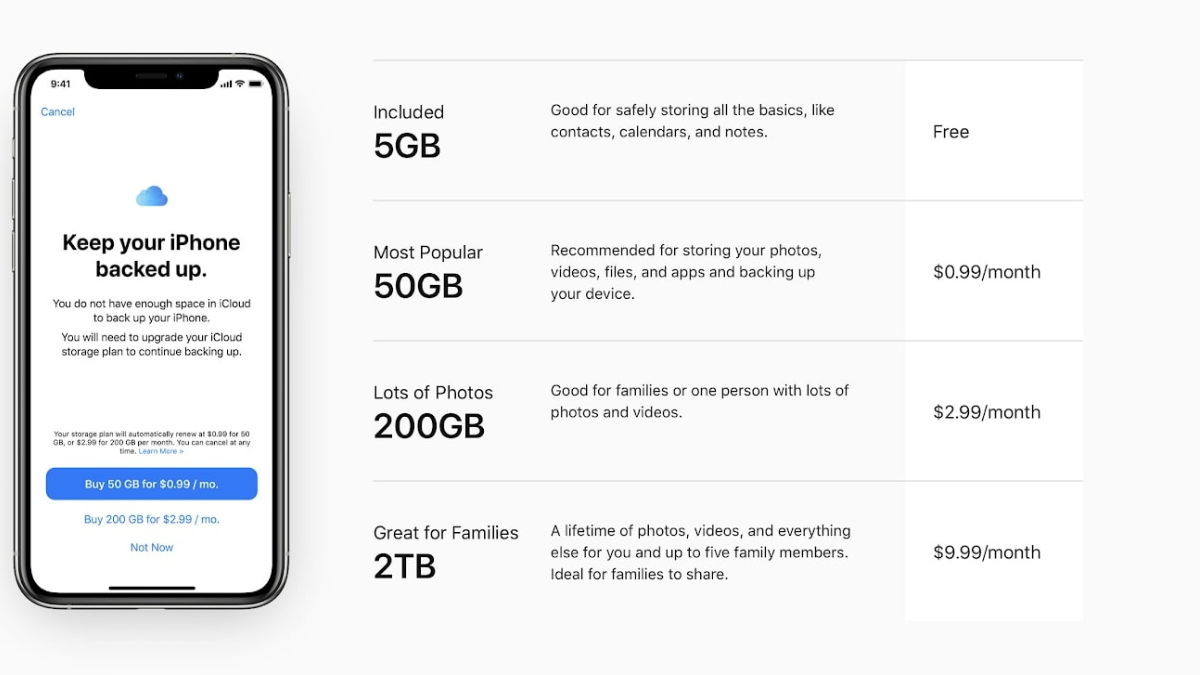
Apple’s iCloud pricing 2025 tiers seem modest initially: 50GB costs $0.99/month, 200GB costs $2.99/month, and 2TB costs $9.99/month. The iCloud monthly cost accumulates significantly over time.For 200GB, Apple charges $2.99 monthly, which equals $35.88 annually.
Over five years, 200GB costs $179.40, while 2TB reaches $599.40. Most users quickly run out of the free 5GB storage when storing videos or high resolution photos a few vacation videos exhaust it within days.Hidden costs extend beyond subscription fees. Constant storage full notifications create upgrade pressure across all devices.
Family sharing complicates matters further, as everyone draws from the same storage pool.When examining cloud storage cost comparison metrics, iCloud’s price per GB value weakens considerably at approximately $0.015 per gigabyte monthly a rate that pales against competitors offering better long term value.
2. Why iCloud Keeps Draining Your Wallet?
Apple constantly bugs users with not enough space in iCloud messages and dialogs encouraging storage upgrades. These notifications create psychological pressure across all devices, explaining why iCloud is expensive beyond just subscription fees.Despite monthly payments, iCloud problems 2025 persist.
The June 24, 2025 outage affected iCloud Mail, Photos, Storage Upgrades, and Web Apps for several hours.iCloud suffers at least one major multi hour outage per year, going back to 2019 paying customers lose access to supposedly reliable services.iCloud storage issues worsen on Windows.
iCloud for Windows is such a disaster that entire support forums exist dedicated to its failures, making cross platform use nearly impossible.The subscription trap offers no escape. Unlike competitors, Apple provides no lifetime options users pay forever or lose data access.
3. The Smarter Solution: Alternatives That Cost Less
Several iCloud storage alternatives deliver superior value while remaining cheaper than iCloud storage. All work seamlessly with iPhone and Mac without sacrificing convenience or functionality.Google Drive gives 15GB free storage much more than most other cloud storage services.
100GB costs $1.99/month (double iCloud’s 50GB at the same price), 2TB matches iCloud at $9.99/month but with better cross platform support. pCloud revolutionizes pricing with lifetime plans: 500GB for $199, 2TB for $399, 10TB for $1,190 one time payment.
Microsoft OneDrive bundles Office apps with storage 1TB plus Word, Excel, and PowerPoint for $6.99/month, offering exceptional value if already using Office suite.Each option ranks as best cloud storage for iPhone, providing automatic photo backup and file access without Apple’s ecosystem lock in or perpetual subscription trap.
4. Google Drive – 3X More Free Storage
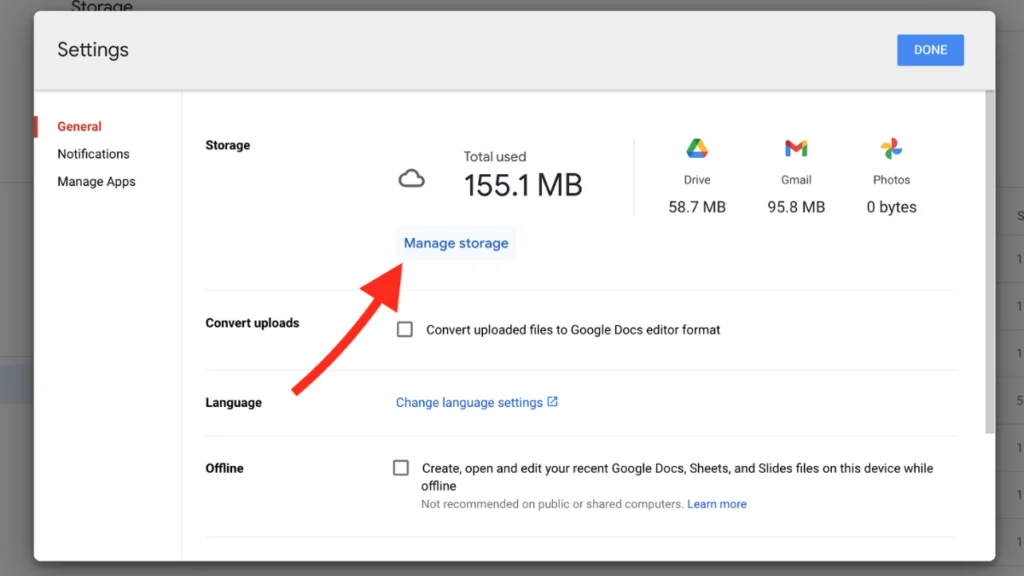
When comparing Google Drive vs iCloud, the difference is stark: Google offers 15GB of free storage shared across Google Drive, Gmail, and Google Photos three times more than Apple’s 5GB. This generous free cloud storage means many users never pay anything.
Google Drive pricing 2025 undercuts Apple significantly. The 100GB plan costs $1.99/month identical to iCloud’s 50GB tier, delivering double the storage.Annual plans save 17% compared to monthly payments.Despite being a Google product, Drive works seamlessly with iPhone’s Photos app.
Google Drive works seamlessly across all platforms, making it more versatile than iCloud. Available on iPhone, iPad, Mac, Windows, and Android, its genuinely universal not trapped in Apple’s walled garden.
5. pCloud – Pay Once, Use Forever
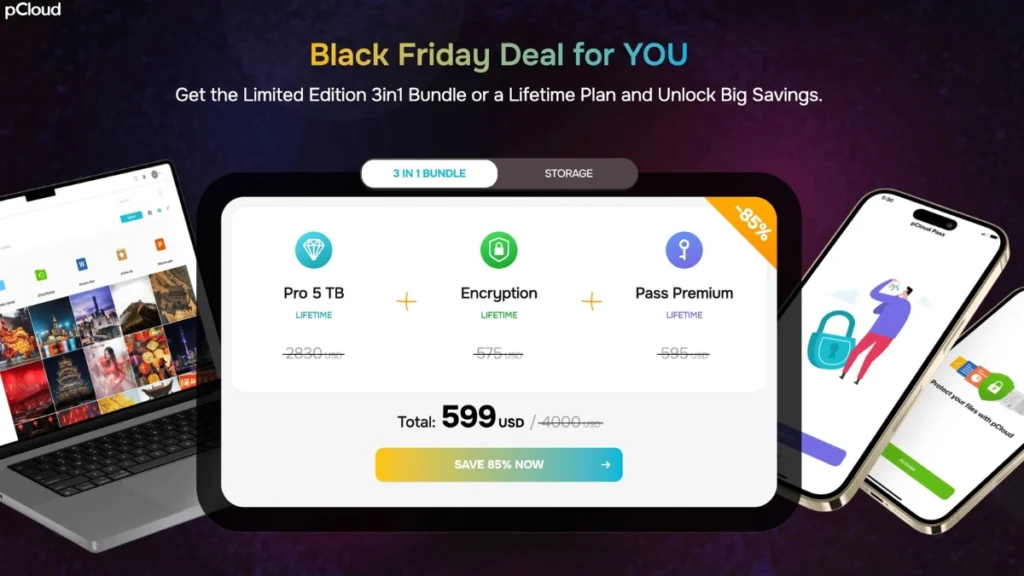
pCloud revolutionizes the cloud storage model with lifetime plans no monthly or yearly payments, no further costs, just one payment. This one time payment cloud storage approach eliminates subscription fatigue entirely.
The Premium 500GB lifetime plan costs $199, while Premium Plus offers 2TB for $399.Over five years, you save $200+ compared to Apple’s subscription trap.pCloud lifetime pricing becomes even better during promotional periods, with Black Friday deals reaching up to 30% off.
pCloud ranked second in cloud storage comparison, with fast upload and download times that rival or exceed iCloud’s performance. The iPhone app works flawlessly, offering automatic photo backup and file access.
6. How to Switch Without Losing Anything?
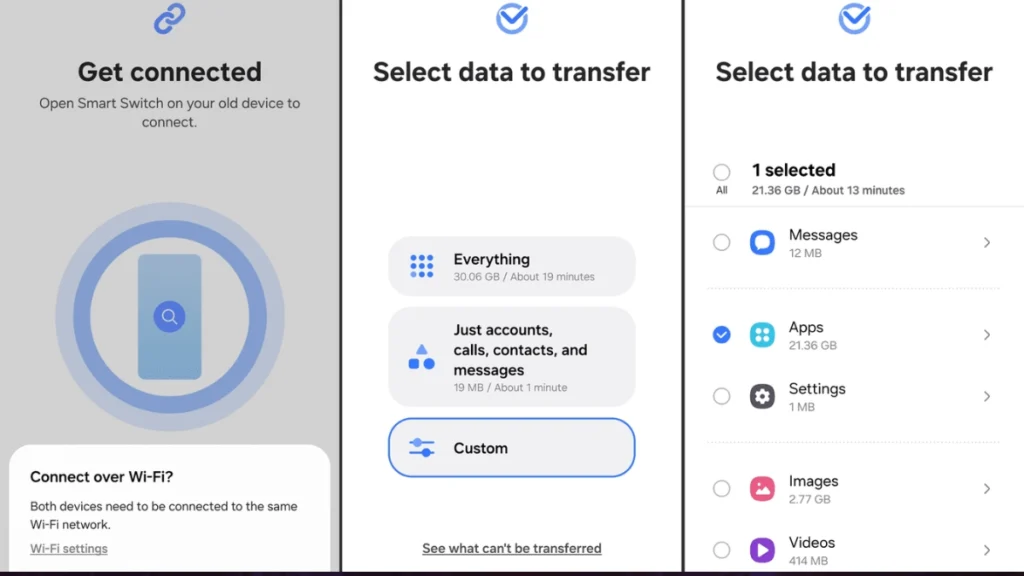
Ready to switch from iCloud? The process is straightforward when you follow these steps to transfer photos from iCloud safely.Step 1: Download all photos to your computer first using iCloud.com or the Photos app.
This creates your safety backup.Step 2: Install your new cloud service app on your iPhone (Google Drive, pCloud, etc.) and sign in.Step 3: Upload photos to the new service. Use WiFi to avoid data charges this transfer typically takes 2,4 hours depending on your photo library size.
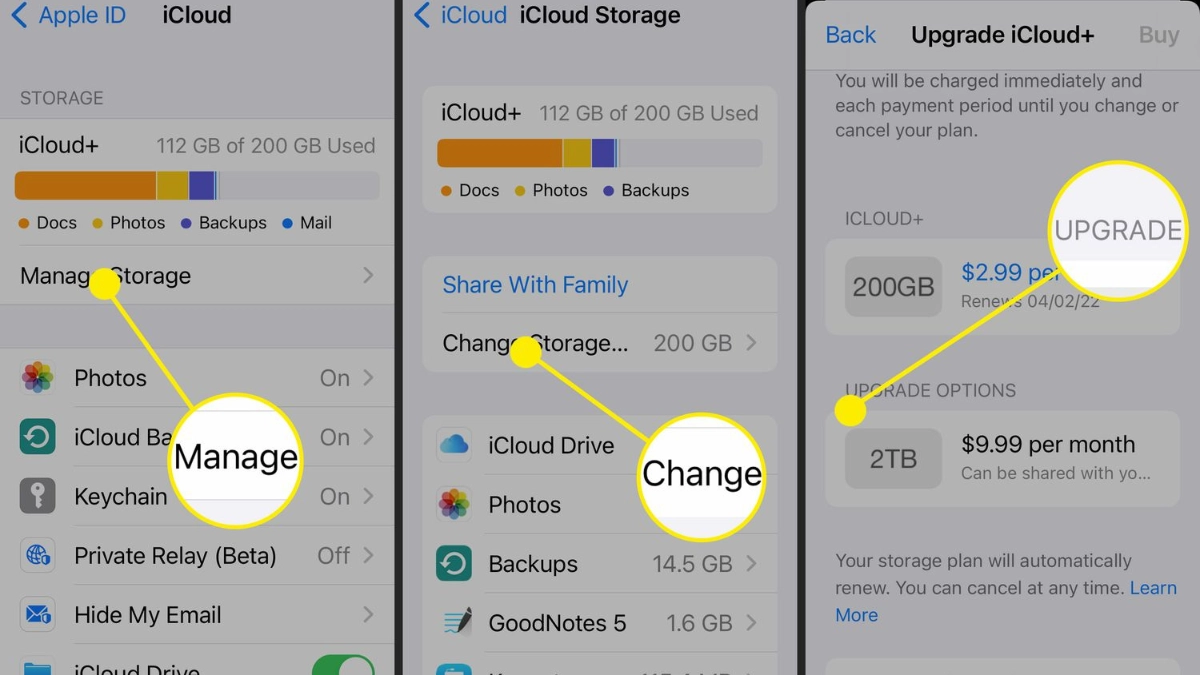
Step 4: Keep iCloud active until transfer completes. Once verified, disable iCloud Photos in Settings > [Your Name] > iCloud > Photos.Step 5: Cancel iCloud storage through Settings > [Your Name] > iCloud > Manage Storage > Change Storage Plan > Downgrade Options.Your data remains safe throughout nothing deletes until you manually turn off iCloud Photos.
7. Cost Comparison – What You’ll Actually Save
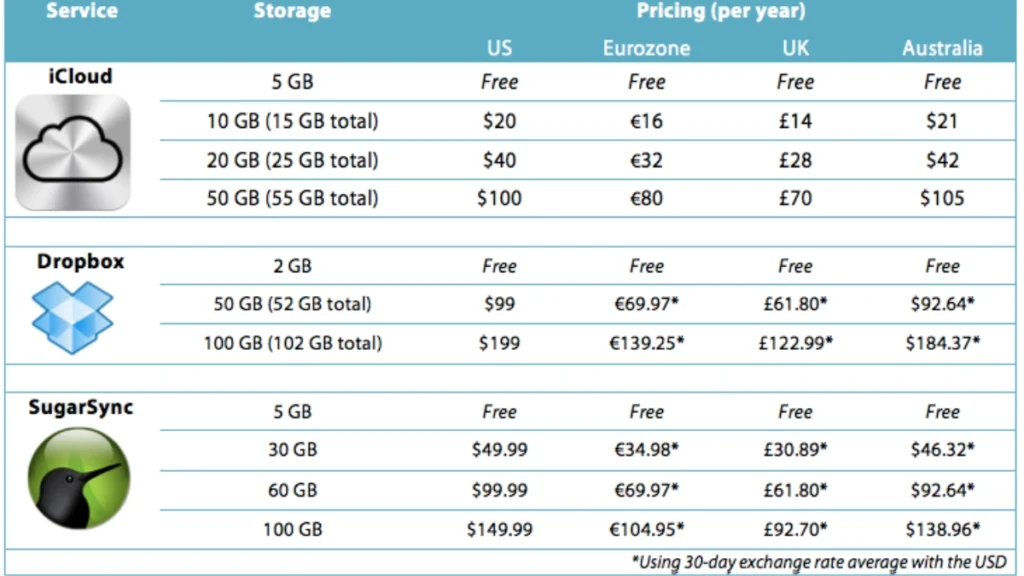
Examine the real numbers in this cloud storage cost comparison to find the cheapest cloud storage option.5 Year Cost Breakdown:
- iCloud 200
- GB: $179.40 ($2.99/month × 60 months)
- Google Drive 200GB: $179.40 (identical pricing)
- pCloud 2TB lifetime: $399 one-time payment
The iCloud vs Google Drive cost comparison shows identical pricing at the 200GB tier, though Google provides 15GB free versus Apple’s 5GB. pCloud’s lifetime model changes the calculation entirely. The break even point hits at 3.3 years, after which storage becomes essentially free.Cost per GB analysis:
- iCloud 200GB: $0.015/GB monthly
- Google Drive 200GB: $0.015/GB monthly
- pCloud 2TB lifetime: $0.017/GB monthly (year 1), drops to $0.003/GB by year 5
- For long term storage, lifetime plans deliver unbeatable value, eliminating
Stop Paying Apple’s iCloud Tax
Google Drive gives you triple the free storage right from the start 15GB versus Apple’s stingy 5GB. pCloud lets you pay once and own it forever, eliminating subscription costs after just 3.3 years.Both work perfectly with your iPhone, offering automatic photo backup and seamless file access without Apple’s ecosystem lock in.
The switch takes just a few hours but saves you hundreds of dollars over five years.Take action today: Pick one alternative from this guide. Start with the free tier to test it risk free.Try it for a week alongside iCloud.
Once you see it works flawlessly with your iPhone, make the full switch and cancel your Apple subscription.Stop searching for iCloud storage alternatives and start saving. The smarter solution is here you just need to claim it. Your wallet will thank you every single month.
