
Your mom just got a call from you asking for bail money. Seniors lost $4.8 billion to fraud and AI scams targeting seniors are getting worse every month. Fraudsters need just 15 to 30 seconds of voice to convincing clones. Then they call your parents pretending to be you, your siblings, or their grandkids.
The old advice doesn’t work anymore. Be careful online and don’t talk to strangers mean nothing when the scammer sounds. Voice cloning scams are just the start. Deepfakes show fake video calls. AI writes perfect phishing emails with no spelling errors. Scammers personalize attacks using information scraped from social media.
AI can fight back against AI. This article shows you 11 specific tools and tactics for elder fraud prevention that work today. Real apps you can download. Real settings you can change. No technical degree needed. No expensive consultants. Just practical deepfake protection and scam fighting tools you can set up this week.
1. Set Up Call Screening Apps That Block Suspicious Numbers
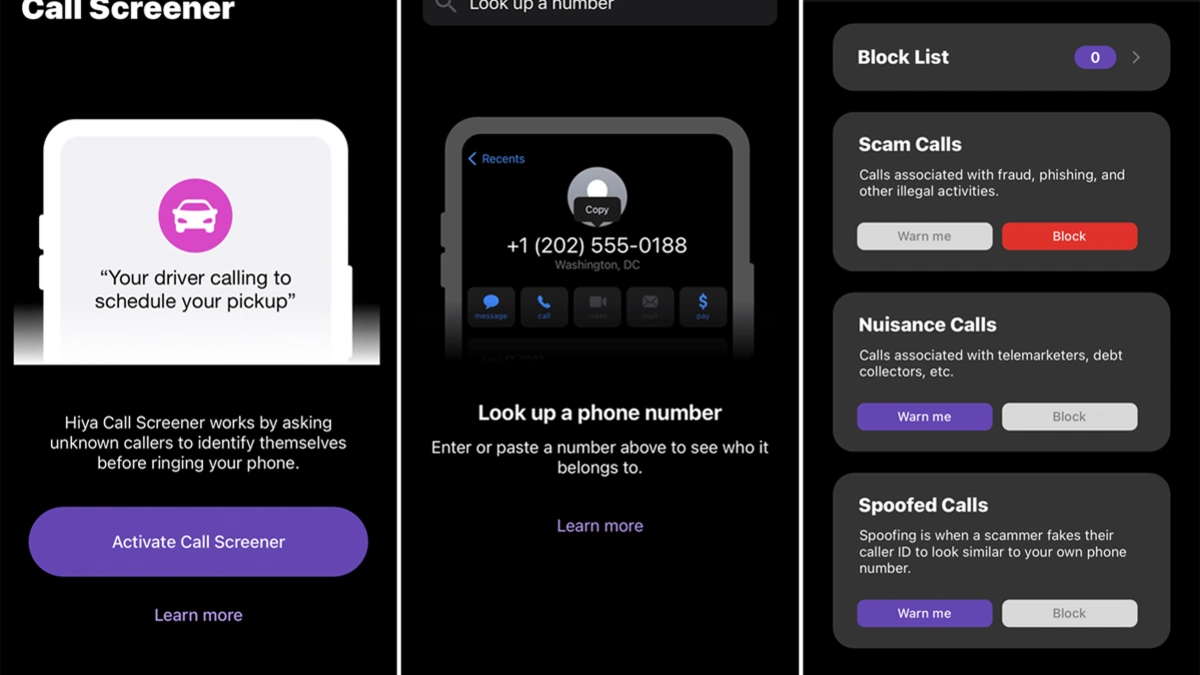
Your dad’s phone rings eight times during dinner. Half of those calls are scams trying to steal his money. Call screening apps stop these calls before they reach your parents. The phone doesn’t even ring.
These apps work a security guard for the phone. They check every caller against a huge database of known scam numbers. Bad numbers get blocked automatically. Your parents never hear from them.
Free Options From Phone Carriers
Your parents already pay for phone service. Most carriers include spam call blockers for free. Verizon customers get Call Filter at no cost. It blocks spam and shows Scam Likely warnings.
The basic version is free and blocks obvious spam calls. Call your parent’s carrier today. Ask them to turn on the free call screening. Customer service will do it over the phone in five minutes.
iPhone’s Built-In Features Vs Android’s Secret Weapon
iPhones have Silence Unknown Callers in Settings, Phone. It sends any number not in contacts straight to voicemail. Use this feature only if your parent checks their contacts list often. Otherwise, stick with call screening apps that show warnings but still let the phone ring.
Android phones have Google Assistant call screening. It’s free and works incredibly well. Google Assistant answers and asks who’s calling. You see the response typed on screen in real time. Scammers usually hang up immediately. Real callers explain why they’re calling. Your parent can then decide whether to answer.
2. Use Deepfake Detection Tools to Verify Video Calls

Your mom gets a video call from your brother asking for $5,000. She sees his face. Hears his voice. Everything looks real. Scammers can fake video calls now. They steal photos from social media and use AI to make the person’s face move and talk.
Deepfake detection tools catch these fake videos before your parents send money. The software analyzes the video in real time and alerts you if something’s wrong.
McAfee Deepfake Detector Runs Automatically
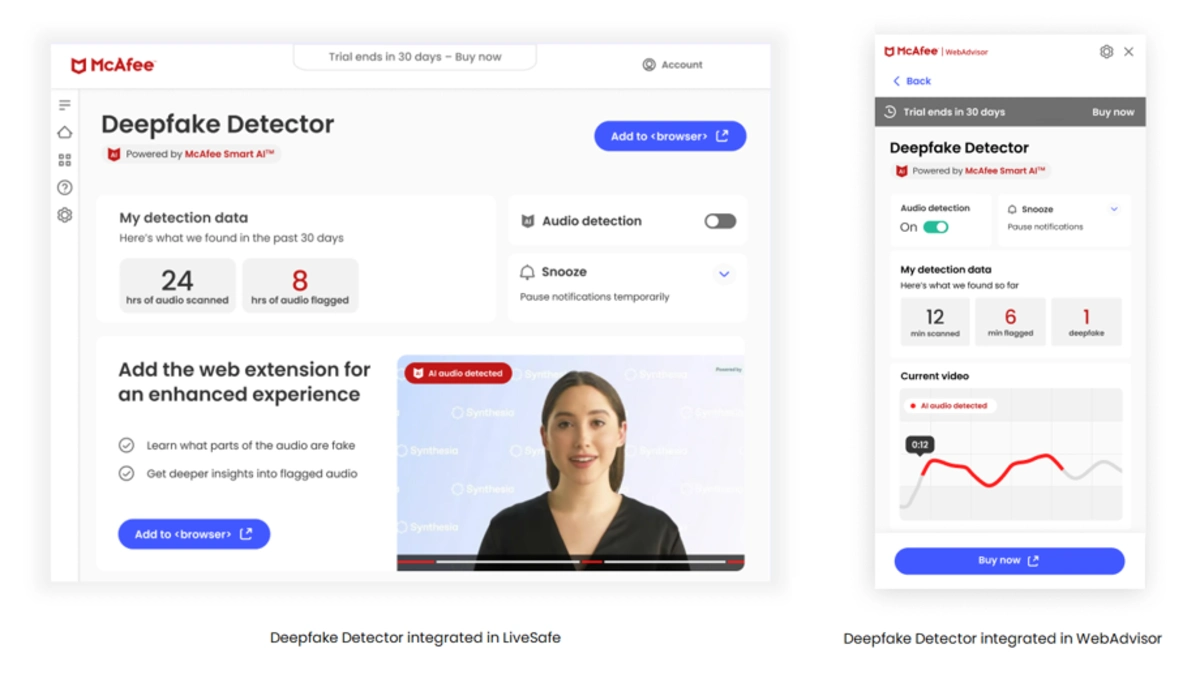
McAfee built a deepfake detector that checks videos and audio as you watch them. If your parents have a newer computer with an Intel Core Ultra processor, this tool comes built right in.
For older computers, download the McAfee app. It includes the deepfake detector along with regular antivirus protection. When your parent watches a video or takes a call, the detector scans it.
Browser Extensions Make Verification Easy
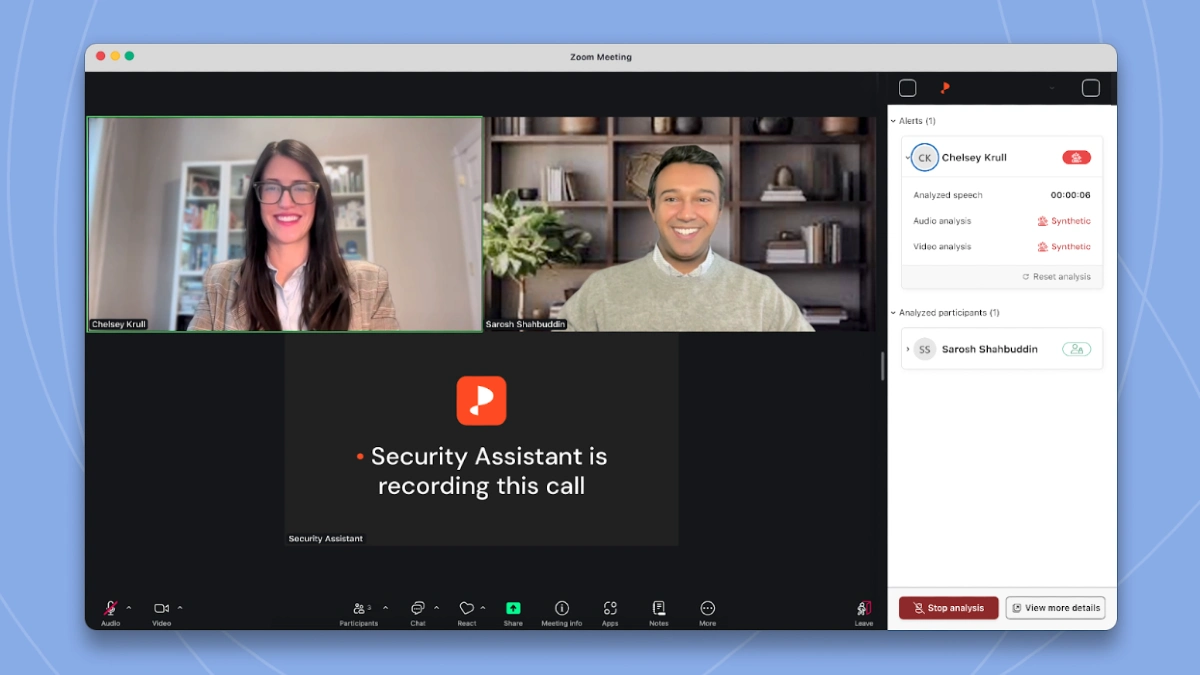
Most deepfake detectors now work as browser extensions. Install them once in Chrome, Firefox, or Safari. They check videos automatically while your parents browse online.
Open Chrome and go to the Chrome Web Store. Search for deepfake detector or the specific tool name. Give it permission to run. That’s it. A small icon appears in the browser toolbar.
3. Create a Family Code Word (The Simplest Defense)
A code word stops voice cloning scams instantly. No apps to download. No tech skills needed. Just one secret phrase that proves someone is really family. Scammers need only 30 seconds of audio to clone a voice. They get that from your voicemail social media videos. But they can’t get a secret phrase you’ve never said online.
Code Word Nobody Can Guess

The code word needs to be completely random to your family. Something meaningful to you but invisible to scammers. One family I know uses pineapple pizza. Easy to remember. Never mentioned online.
How to Share the Code Word Safely?
Share the code word in person or through a secure encrypted channel, never post it online. Or call them on the phone yourself and agree on the phrase together. Text works only if you use encrypted apps like Signal or WhatsApp. Regular text messages aren’t secure.
4. Turn On Two-Factor Authentication on All Accounts
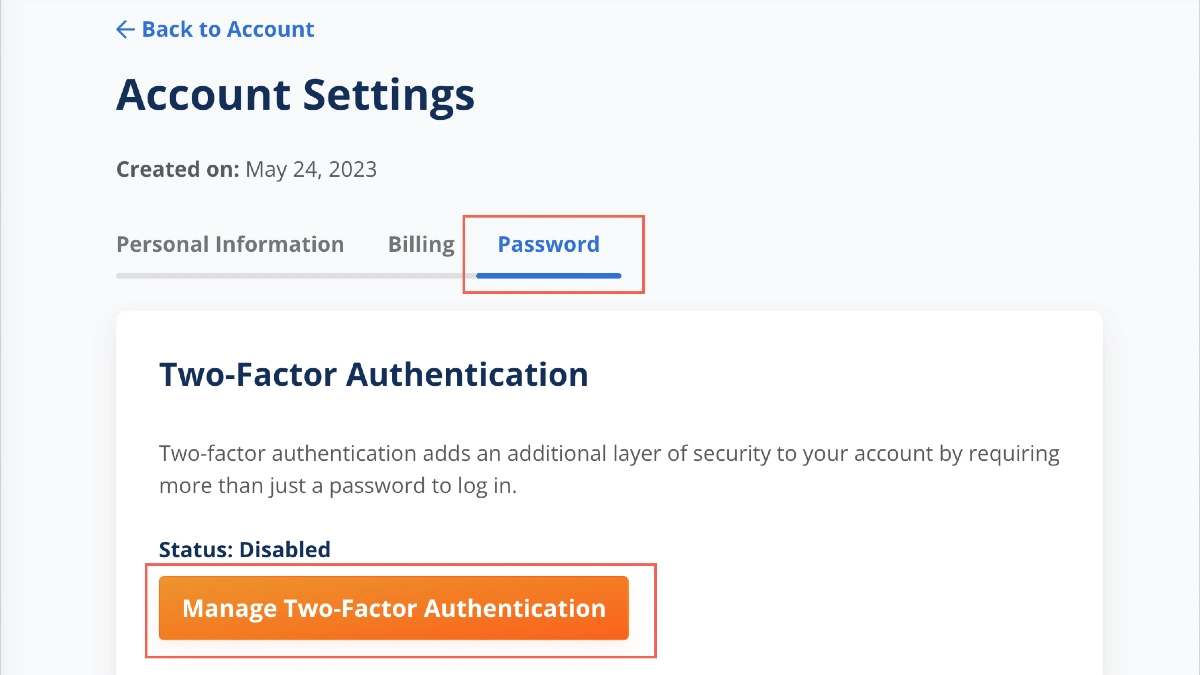
A scammer gets your dad’s email password. Two factor authentication stops this. Even if scammers steal the password, they can’t get in without the second code. A password is the key. Two factor authentication is a deadbolt that needs a separate code to open.
Save Backup Codes Somewhere Safe
2FA, most sites give you backup codes. These are one time codes you can use if you lose your phone. Put the paper in a safe place a filing cabinet, a desk drawer. Don’t save them on the computer. If the computer gets hacked, those codes are gone. Print them out or write them by hand. Old school works best here.
5. Install Bank Account Monitoring Service

The scammer disappeared. The bank can’t help because she authorized the transfer. Bank account monitoring catches suspicious transactions while you can still stop them.
Services watch your parent’s accounts and alert you within minutes when something looks wrong. They flag unusual withdrawals, missing deposits, and bill payment changes. You call your parent. You stop the scam before the money leaves.
EverSafe Monitors Everything at Once
EverSafe detects suspicious activity across banking, investment accounts, and credit cards. Sudden large withdrawals. New payees added to bill pay. Address changes on accounts. Unusual ATM locations.
Wire transfers to foreign countries. Checks written out of sequence. You can up to three trusted family members to receive alerts. When EverSafe spots something suspicious, everyone gets notified. You can respond as a team.
6. Lock Down Social Media Privacy Settings

Scammers now know three things. She has money for vacations. Scammers scrape social media to gather personal details and launch AI schemes. They collect photos, voice clips, family names, and daily routines.
Then they use AI to build convincing scams. Locking down privacy settings cuts off their information supply. Less data means less ammunition for scammers.
Hide Personal Details From Your Profile
Your parent’s birthday, phone number, hometown, and current city are probably public right now. Scammers use this info to answer security questions and impersonate family members.
Stop Announcing Vacations
Headed to the beach for the weekend. Tells burglars when your parent’s house is empty. It also tells scammers when your parent is distracted and might be easier to fool. Post vacation photos after you get back. Share the memories without announcing when you’re away.
7. Use AI-Powered Email Scam Detectors
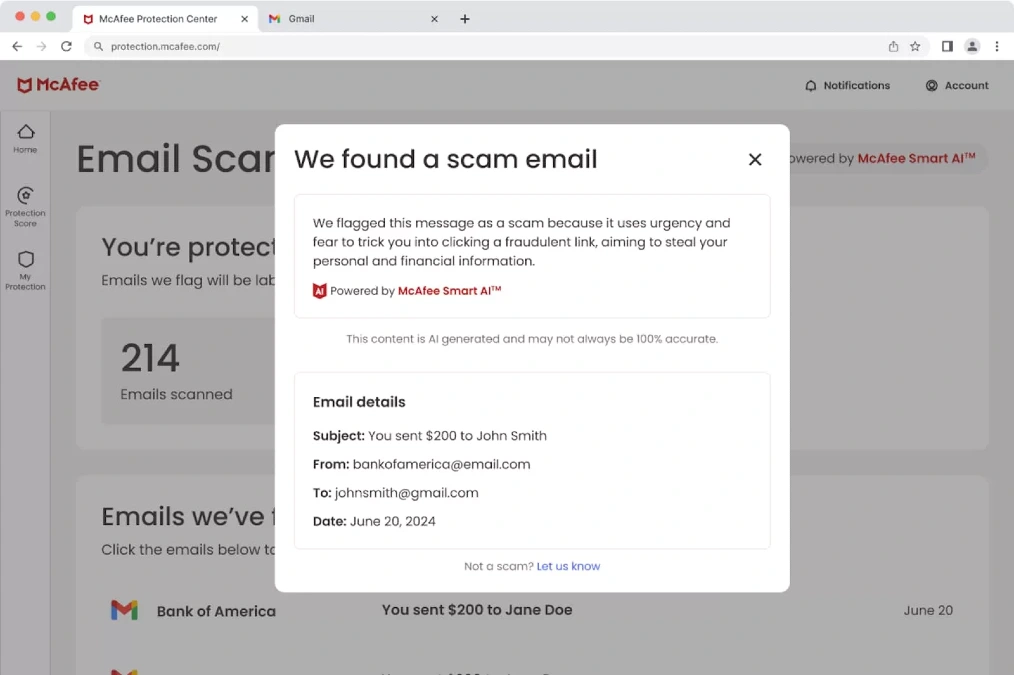
AI scam detectors catch these fake emails before your parents click. They analyze patterns in scam emails and communication to detect fraud. The emails that slip past regular spam filters.
GPTZero Spots AI-Written Scam Emails
GPTZero helps identify text in emails. Tool catches them by recognizing the patterns. The free version lets you paste suspicious emails and check them instantly. Copy the email text.
But if an email claims to be from your bank and GPTZero says AI wrote it. The paid version checks emails automatically and integrates with your inbox. Suspicious emails get flagged before your parent even reads them.
Outlook Has Strong Phishing Protection Too
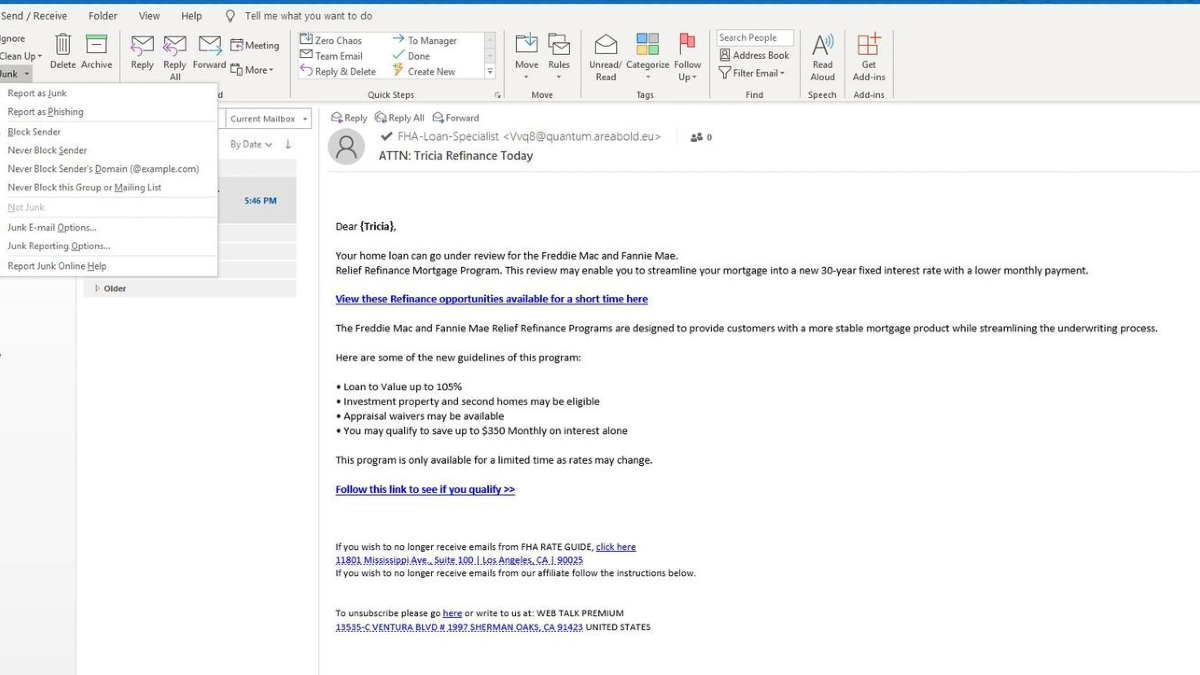
Microsoft Outlook includes anti phishing tools powered by AI. They check links in real time before you click them. Outlook scans the destination website first. If it’s a known phishing site, you get a warning screen.
Open Outlook, Go to File, Options, Trust Center, Trust Center Settings. Click Automatic Download. Check Don’t download pictures automatically in HTML email. Click Protected View. Make sure all boxes are checked.
8. Enable Real-Time Fraud Alerts on Credit Cards
Your mom’s credit card gets charged $847 at a Best Buy in Florida. She lives in Oregon. She hasn’t shopped at Best Buy in years. She finds out three weeks later when the statement arrives in the mail. Real time fraud alerts catch this the moment it happens.
Set the Threshold Low
Banks suggest setting alerts at $100 or $200. Ignore that advice. Scammers test stolen cards with small purchases first. A $3 coffee. A $12 lunch. If those go through, they hit it with big charges.
Catching the $3 test transaction stops the $3,000 shopping spree. Your parent might get more alerts. But would you rather get five texts a week or lose $5,000 before noticing.
Freeze Cards From Your Phone
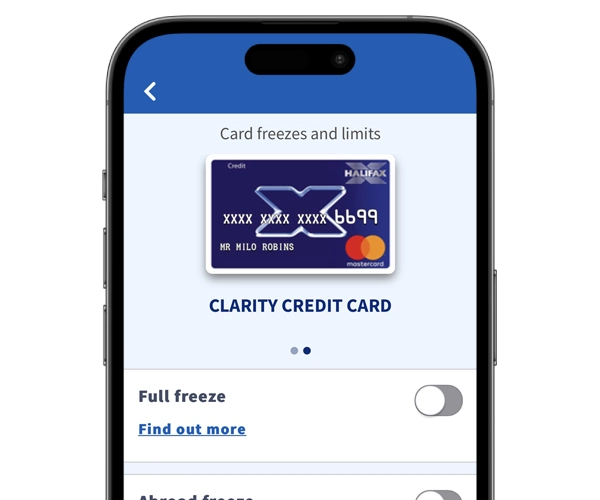
Every major bank app lets you freeze cards instantly. Suspicious alert comes in. The card stops working immediately. Your parent can unfreeze it just as fast if they locked it by mistake.
This feature alone is worth downloading the bank app. No calling during business hours. Instant protection from your phone.
9. Use Password Managers with Breach Monitoring
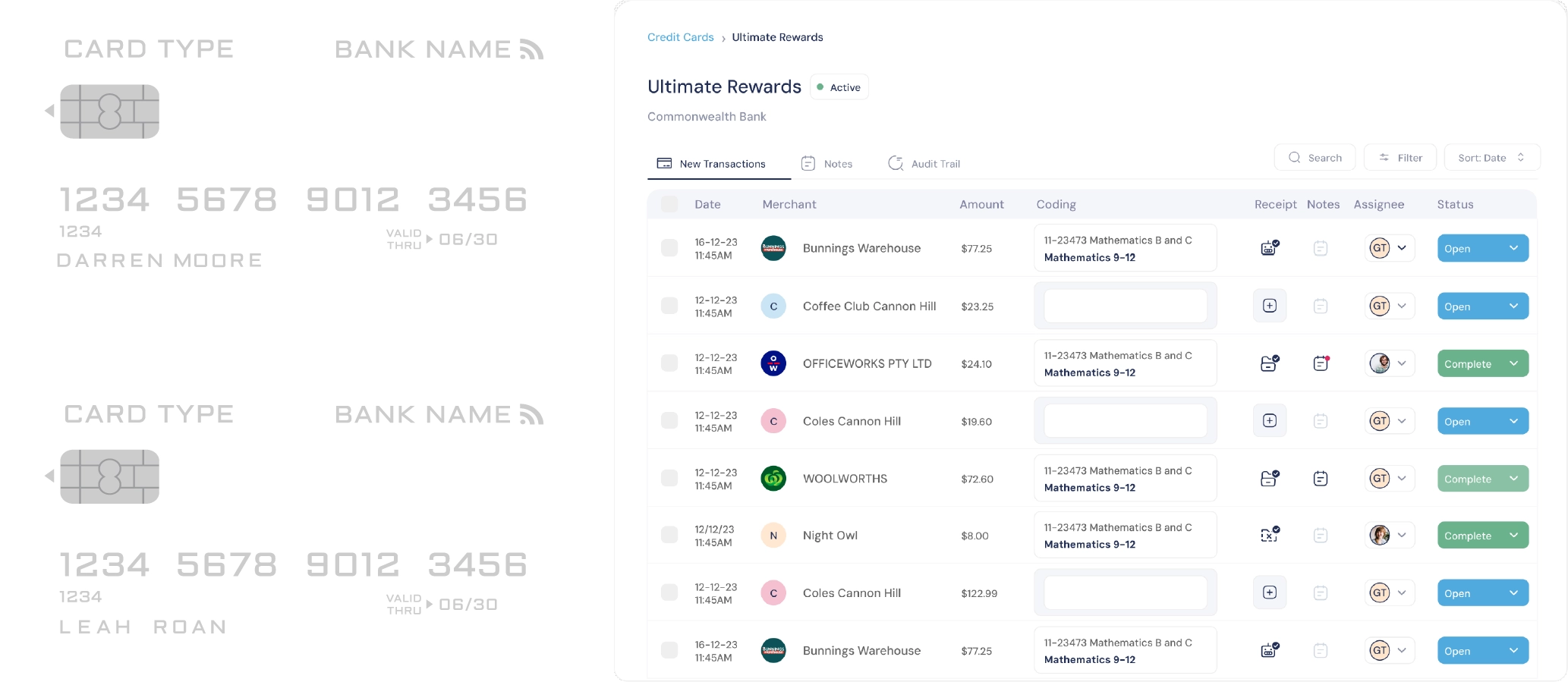
Your dad uses the same password for everything. A hacker steals his email password from a data breach. Now they have access to his bank account, credit cards, medical records, and every online account he owns.
Password managers solve this by creating different strong passwords for every site. They generate and store strong unique passwords automatically. Your parent remembers one master password. The software remembers everything else.
How Autofill Makes Life Easier ?
Your mom goes to her bank’s website. The username and password fields fill themselves in. She doesn’t dig through notebooks. Doesn’t reset forgotten passwords. This works on her computer, tablet, and phone. The passwords sync across all devices automatically.
10. Install Identity Theft Protection with Dark Web Monitoring
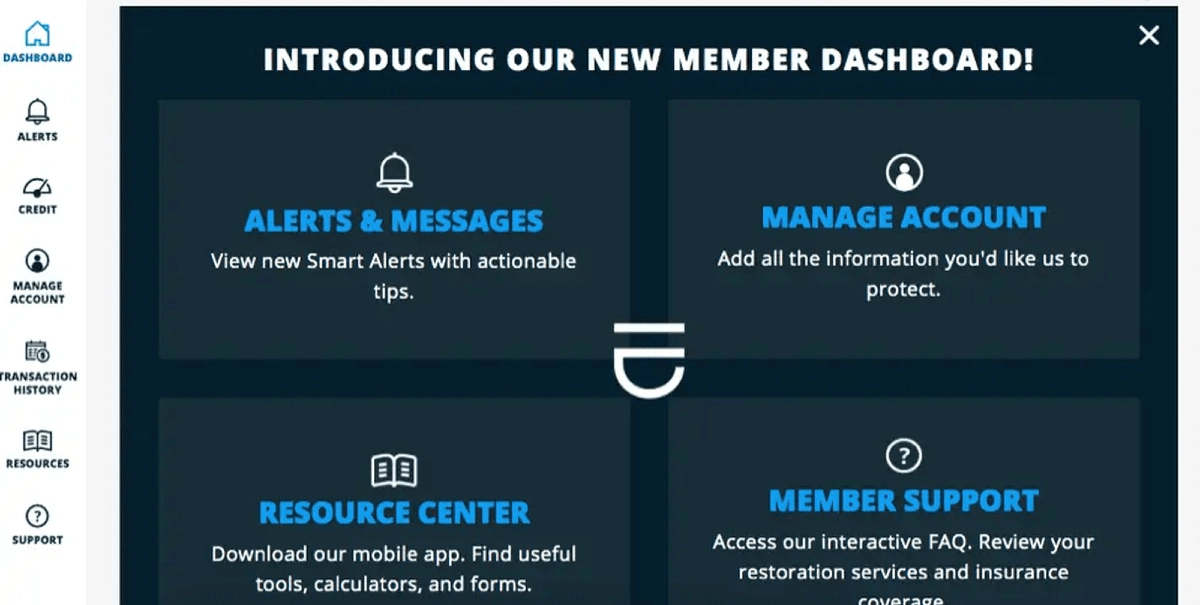
Your mom’s Social Security number, bank account details, and Medicare ID are for sale on the dark web right now. Posted three weeks ago after a hospital data breach. Opens three credit cards in her name.
Files a fake tax return to steal her refund. Bills $12,000 to her Medicare account. Software scans dark web marketplaces where criminals sell stolen data.
IdentityForce Handles the Paperwork for You
IdentityForce completes dispute paperwork and monitors the dark web for stolen info. That second part matters more than most people realize. Identity theft mountains of paperwork. Police reports. Credit bureau disputes. Fraud affidavits. Letters to creditors.
IdentityForce assigns a case manager who handles it all. They file the disputes. Contact the credit bureaus. Work with banks to reverse charges. Your parent signs the forms. The case manager does the rest.
11. Teach Verification Before Action (The Human Firewall)

Just a scammer with AI voice cloning. Scammers create urgency to prevent verification. They know if your parent pauses to think the scam falls apart. So they push hard.
Do it now or something terrible happens. The single most powerful defense is teaching your parents one simple habit: Pause. Verify. Then act.
Verification Checklist for Every Suspicious Contact
Find the official number card, statement, or saved contact.Call that number directly. Ask if the previous call was real. Handle it through this verified line. If no, report the scam attempt.
This checklist turns verification from something I should do something I actually do. Make sure your parent knows where their saved numbers are. Where bank statements live. How to report scams.
